ralvagym · a gym log your agent fills in · self-hosted
Say whatyou lifted.
Tell your agent what you did, the way you’d say it between sets. It turns that into sets and saves them through ralvagym’s tools. The server checks every set, and won’t guess what you forgot.
- You say itin your own words, to any MCP agent
- The agent calls a toolwith
dry_runfirst - The server checks every setand rejects anything guessed
- Saved, and on your dashboardsets, estimates, best marks
- Your server
- Closed accounts
- 20 MCP tools
- You
Bench 80 kilos for 8, 8 and 7. One more at 80, can’t remember how many.
- Agent
gym_session_save dry_run: true
80 kg × 8, × 8, × 7, × reps: null - Server
Rejected · reps_missing
“reps is null; list reps in unconfirmed when the user does not remember them, never guess” /exercises/0/sets/3/reps
- Agent
gym_session_save dry_run: true
set 4: "unconfirmed": ["reps"] - Server
Valid then saved with dry_run: false
101.3kg
Estimated 1RM from the best confirmed set, 80 × 8
Epley: 80 × (1 + 8/30)
- 80×8
- 80×8
- 80×7
- 80×?
Saved. Set 4 is kept and marked unconfirmed, and left out of the estimate.
gym/validate.go).20 tools.
4 ask first.
One tool per thing you do: log a session, log a day, look up a trend. The four that overwrite or delete are marked destructive, so a careful client asks you before each one.
gym_session_saveasks firstgym_e1rm_trendgym_daily_log_saveasks firstgym_exercise_searchgym_weekly_volumegym_session_getgym_prsgym_machine_updateasks firstgym_weight_trendgym_session_listgym_nutrition_summarygym_exercise_creategym_recovery_vs_performancegym_session_deleteasks firstgym_daily_log_getgym_muscles_listgym_machine_listgym_daily_log_listgym_machine_creategym_exercise_update
How it works
Talk like you’re at the gym.
Each line becomes one call.
The agent picks the tool and fills the fields. The server only ever reads the call, never your sentence.
Legs today.
gym_session_save { "title": "Legs" }
Bench 80 kilos for 8, 8 and 7.
gym_session_save "sets": [ { "weight": 80, "unit": "kg", "reps": 8 }, … ]
Leg press, the machine said 120. No idea if that’s kilos.
gym_session_save { "weight": 120, "unit_known": false }The server’s rule: “a weight with no unit written is a machine reading: set unit_known to false instead of assuming kg”
Slept 7 hours, stress 4 out of 5.
gym_daily_log_save { "sleep_hours": 7, "stress": 4 }
Weighed in at 80.9. About 143 grams of protein.
gym_daily_log_save { "weight_kg": 80.9, "protein_g": 143 }
Two beers last night.
gym_daily_log_save { "alcohol": 2 }
Is my bench still going up?
gym_e1rm_trendread-only
Examples. Tool names, field names and the quoted rule are the real ones from the MCP schemas and gym/validate.go.
One real week
Four messages.
A week on the board.
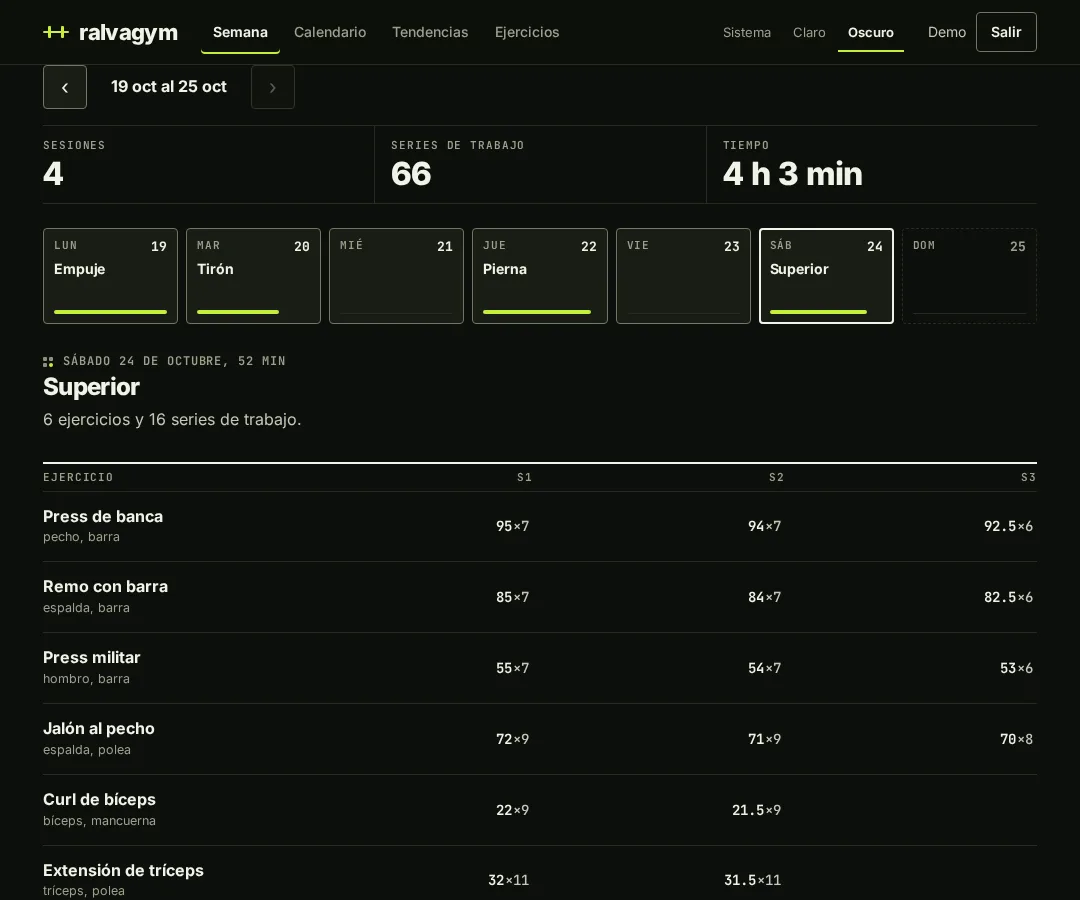
Each message lands on its day. Rest days stay empty. The titles and totals below are the ones in the real week view.
- Sessions
- 4
- Working sets
- 66
- Time
- 4 h 3 min
- MON19Push
- TUE20Pull
- WED21rest
- THU22Legs
- FRI23rest
- SAT24Upper
- SUN25rest
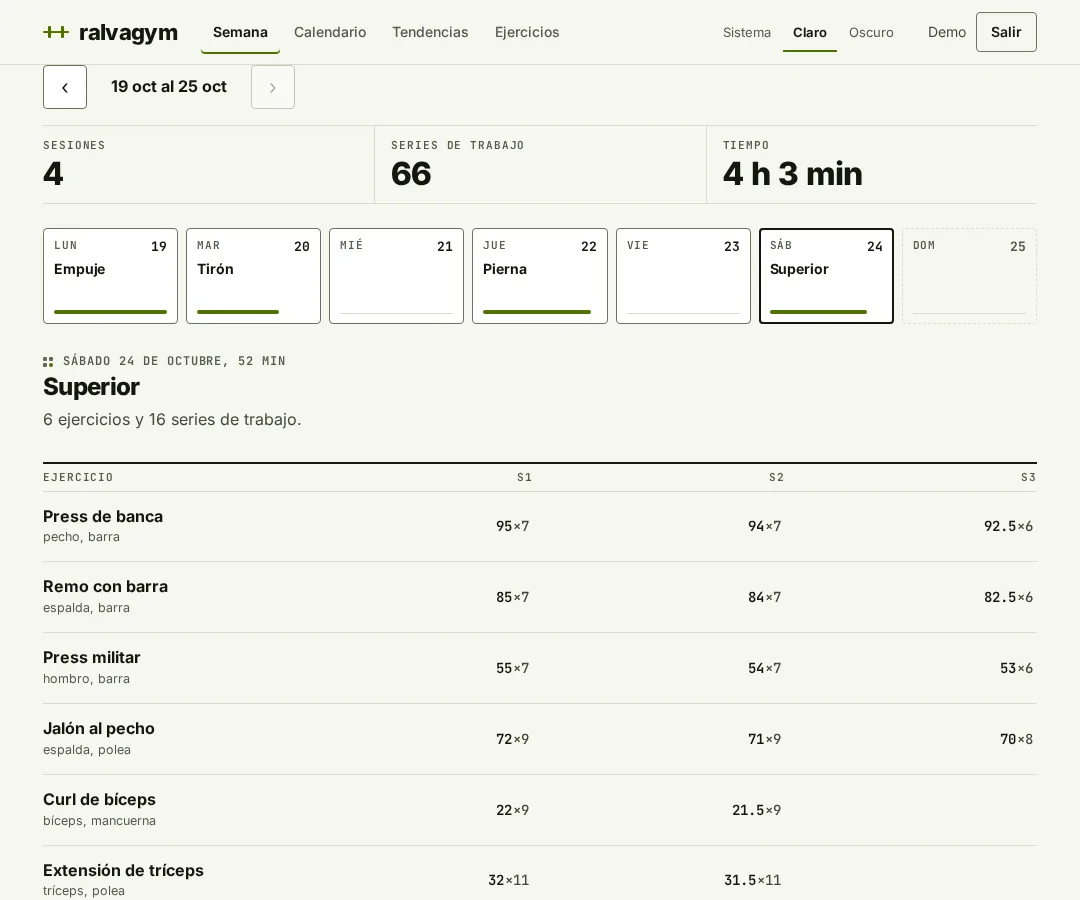
Drawn after the real week view (19 to 25 October, demo data), with the day titles in English. Messages are samples.
01What you said
“Upper today. Bench 95 for 7, 94 for 7, 92.5 for 6. Slept 7.3 hours, weighed 80.9, 143 grams of protein, no drinks.”
Sample message.
02What the server saved
{ "exercise_id": "…bench…",
  "sets": [
  { "weight": 95, "unit": "kg", "reps": 7 },
  { "weight": 94, "unit": "kg", "reps": 7 },
  { "weight": 92.5, "unit": "kg", "reps": 6 }
] }
gym_daily_log_save
{ "sleep_hours": 7.3, "weight_kg": 80.9,
  "protein_g": 143, "alcohol": 0 }
Shape from the real schemas; values from the demo data.
03What the dashboard shows
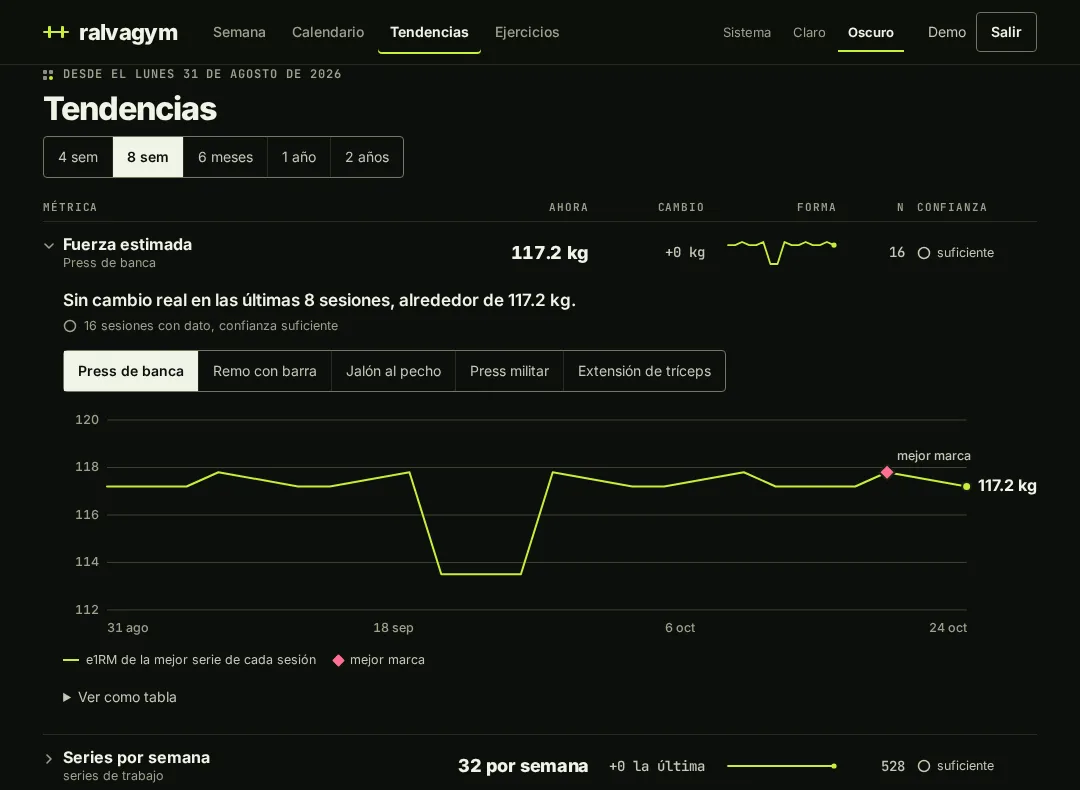
Trends · bench press · 8 weeks · real dashboard, demo data
Your best mark, 117.2 kg. And the honest part: no real change in 8 sessions.
The trends view estimates your strength after every session and marks the best one. It also tells you when you’re flat, and how many sessions the estimate stands on.
- Change
- +0 kg
- Sessions
- 16
- Confidence
- Enough
Estimates with limits
An estimate that knows
when to shut up.
Every analysis result carries n and low_confidence. Drag the reps: past ten, the estimate stops being trusted.
kg e1RM
80 × (1 + 8/30) = 101.3
TrustedUp to 10 reps, the Epley estimate is used for your trend.
- 10reps, the most it trusts
Above that, Epley overestimates; the estimate is flagged unreliable (
reliableReps). - 3sessions before a trend counts
Fewer and it comes back with
low_confidence: a hint, not a finding, and the agent has to say so. - 0guessed reps in your numbers
A set with unconfirmed reps is saved and counted as excluded, never estimated.
The trade-off
The agent does the structuring. The server never parses text.
You need an agent
Any MCP client works. The logging rules live in the repo’s skills, so a client without them, like a phone app, only sees the tool descriptions.
AGENTS.md, known gapsUnknown stays unknown
Forgot the reps? They are saved as unconfirmed, not filled in. Not sure the machine meant kilos? The unit is saved as unknown, not assumed. Your estimates get fewer sets, but true ones.
gym/validate.goIt is yours to run
Your server, your Postgres, your backups. There is no sign-up: an administrator creates each account.
README, AGENTS.md
Run it
Up in five commands.
# fill in the secrets in .env
cp .env.example .env
cp config/backend.docker.toml.example config/backend.docker.toml
cp config/mcp.docker.toml.example config/mcp.docker.toml
docker compose up --build
# first token for your MCP client
gym token create -email you@example.com -name mcp
From the README. Then point your MCP client at /mcp with Authorization: Bearer and the token.
Does it read my messages?
No. Your agent reads them and sends structured calls. The server stores the JSON, plus source_text if the agent includes what you said, and treats it as data.
What if I don’t remember the reps?
Say so. The set is saved with "unconfirmed": ["reps"], shown with a dashed underline and kept out of your estimates.
Can my agent delete things?
Four tools can overwrite or delete, and they say so in their hints. A save replaces the whole day, so the agent previews with dry_run first.
Can I sign up?
No. Accounts are closed. An administrator creates them, from the admin API or with gym user create.
Next set’s on you.
Sign in